



Stop chasing prospects—let your calendar work for you! This digital download gives you full PLR/MRR rights to resell the Appointment Book WordPress Plugin and keep 100% of the profit.
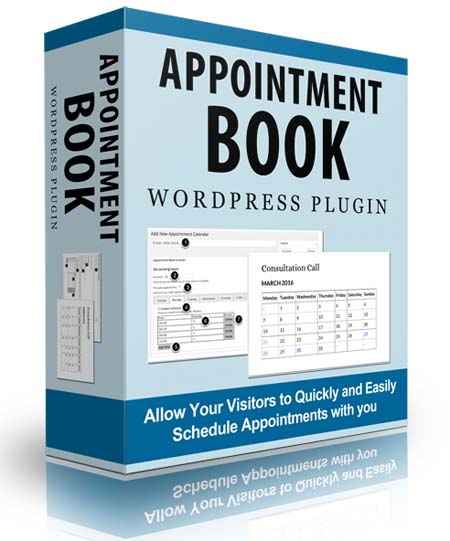
For entrepreneurs, freelancers, and consultants, every new consultation request is a win. But unexpected scheduling gaps can silently drain your revenue—especially when replacing a lost prospect feels like pulling teeth. That’s where this powerful digital solution steps in.
Meet the Appointment Book Plugin—a game-changing WordPress tool that puts you in the driver’s seat. With unlimited appointment blocks, free and paid slots, and total calendar control, you can finally ditch the manual back-and-forth. Best of all, as a digital product with PLR/MRR, you can rebrand and resell it to your own client base for endless profit.
Here’s what you’ll unlock with this plugin:
- Manage your entire appointment calendar directly from your WordPress dashboard—no third-party tools needed. Simple setup, zero hassle, and your clients will love the seamless booking experience.
- Create unlimited calendars and session types, from 20-minute discovery calls to hour‑long interviews, all in one place.
- Accept payments right when clients book—no extra steps, no frustration. PayPal integration works with any currency in any supported country.
- Personalize your availability to prevent last‑minute bookings or accidental “next‑year” slots.
- Set holidays and non‑working days on your own terms—because every business runs on its own schedule.
- Offer both free and paid booking options, perfect for new client consultations or premium services.
- Test your payment flow safely using PayPal’s built‑in sandbox mode—no more $1.00 refunds just to check if it works.
- Support multiple bookings per time slot, ideal for teams (e.g., stylists, massage therapists).
- Auto‑send email confirmations to you and your client—never miss a scheduled appointment again.
- Deliver a point‑and‑click booking interface that’s intuitive for your clients.
- View upcoming appointments right inside your WordPress dashboard for instant oversight.
| LICENSE: | |
|---|---|
| FILE SIZE (MB): | 2.7 |
| PRODUCT TYPE: |
Related products

Affiliate Marketing PLR

Affiliate Marketing PLR

Affiliate Marketing PLR

Affiliate Marketing PLR

Affiliate Marketing PLR

Affiliate Marketing PLR

SEO and Promotion PLR

Affiliate Marketing PLR


